Nestly
Renting is often a complex and stressful experience, especially for college students and young professionals who may move multiple times within a short period.
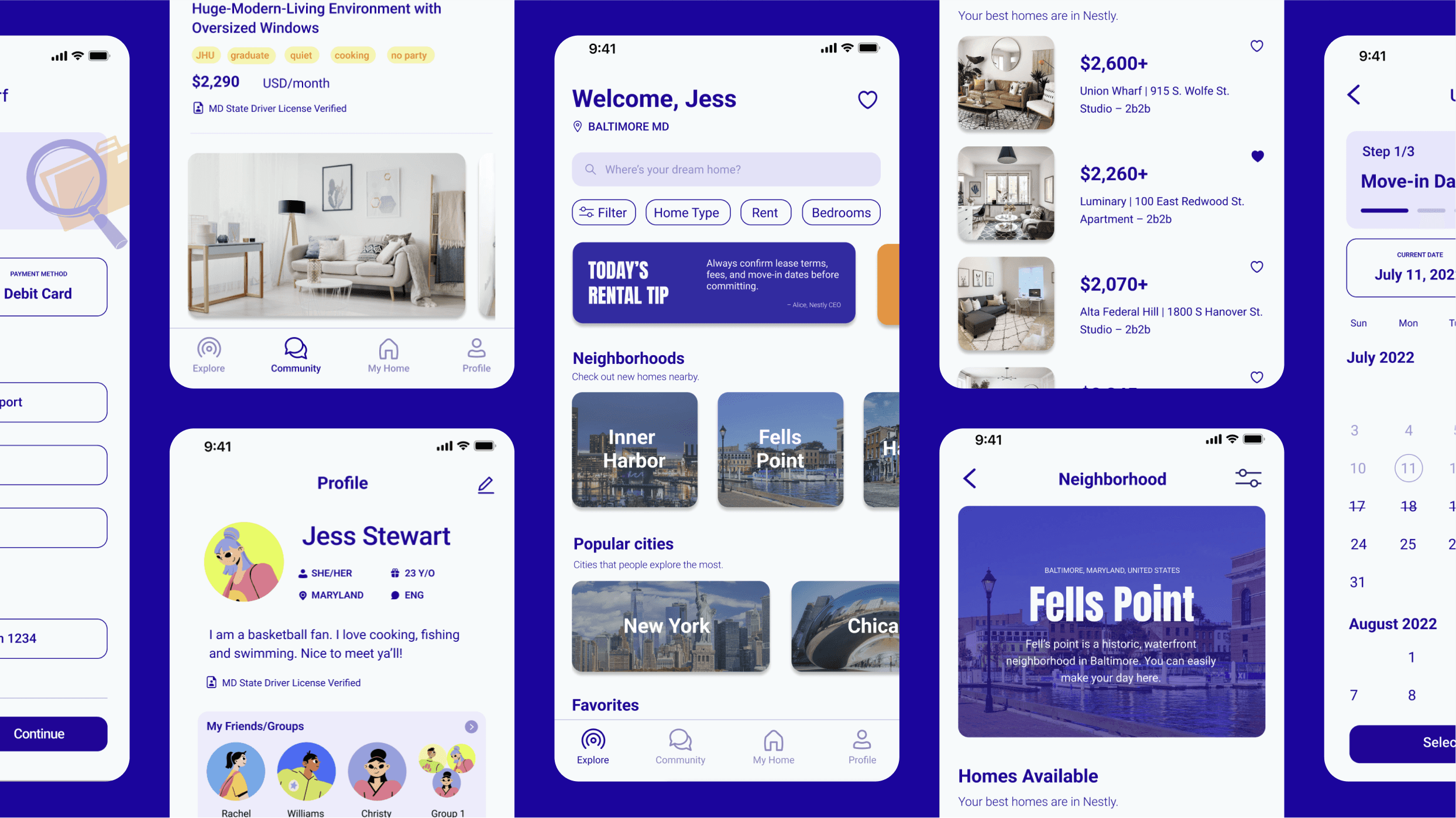
Nestly is an all-in-one apartment rental platform designed to simplify the renting process. It helps users find housing, connect with compatible roommates, and exchange everyday items within a single, intuitive experience—reducing friction and creating a more supportive rental journey.
Team
Solo
Role
UI/UX Designer
Timeline
Nov 2022 – Jan 2023
Tool Used
Project Context
Personal Exploration
The Problem
College students and young professionals face friction throughout the rental process, from unclear communication with landlords to the anxiety of finding compatible roommates.
The Goal
Design an app that helps college students and young professionals rent apartments more easily, find compatible roommates, and buy or sell furniture in one streamlined experience.
User Research
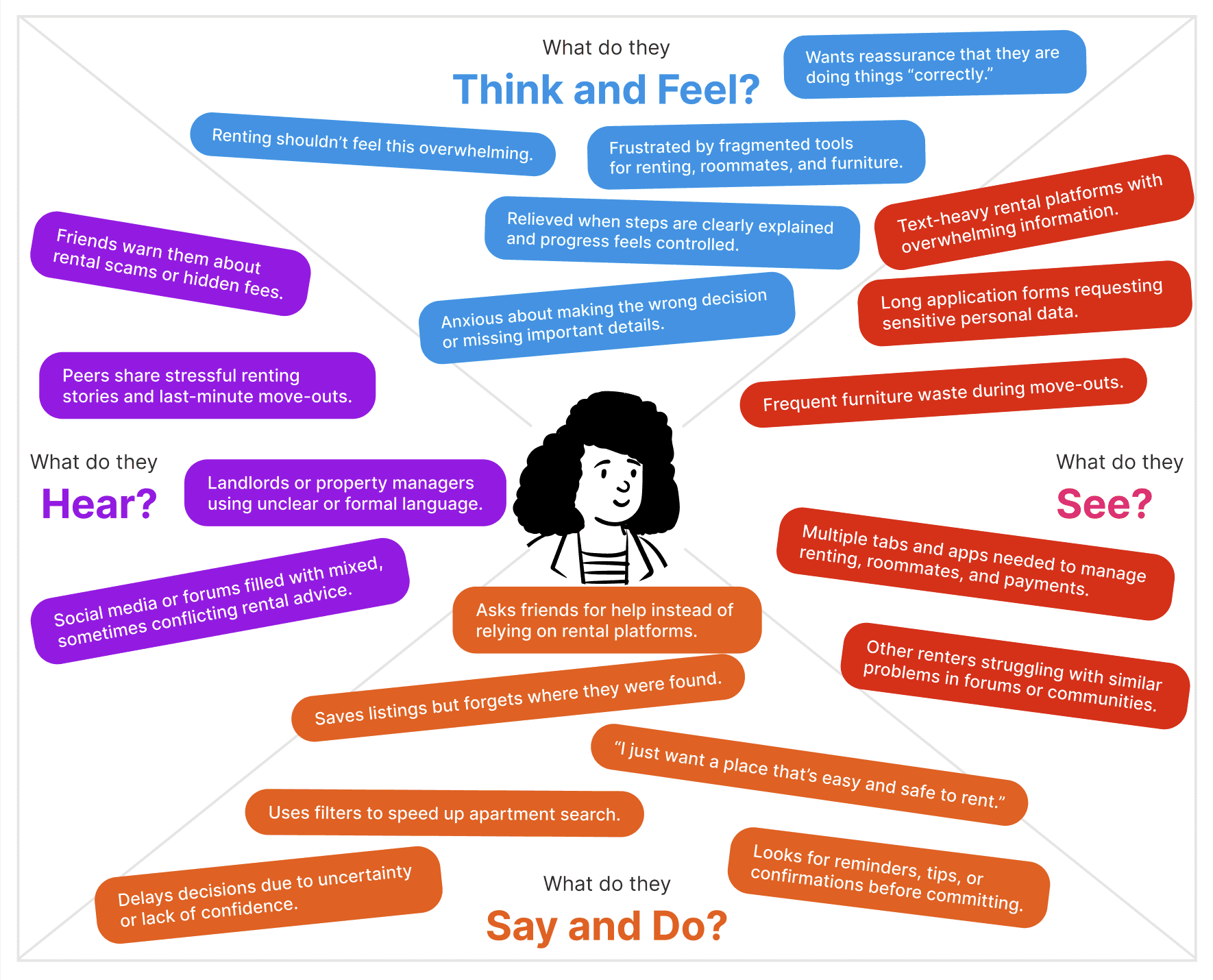
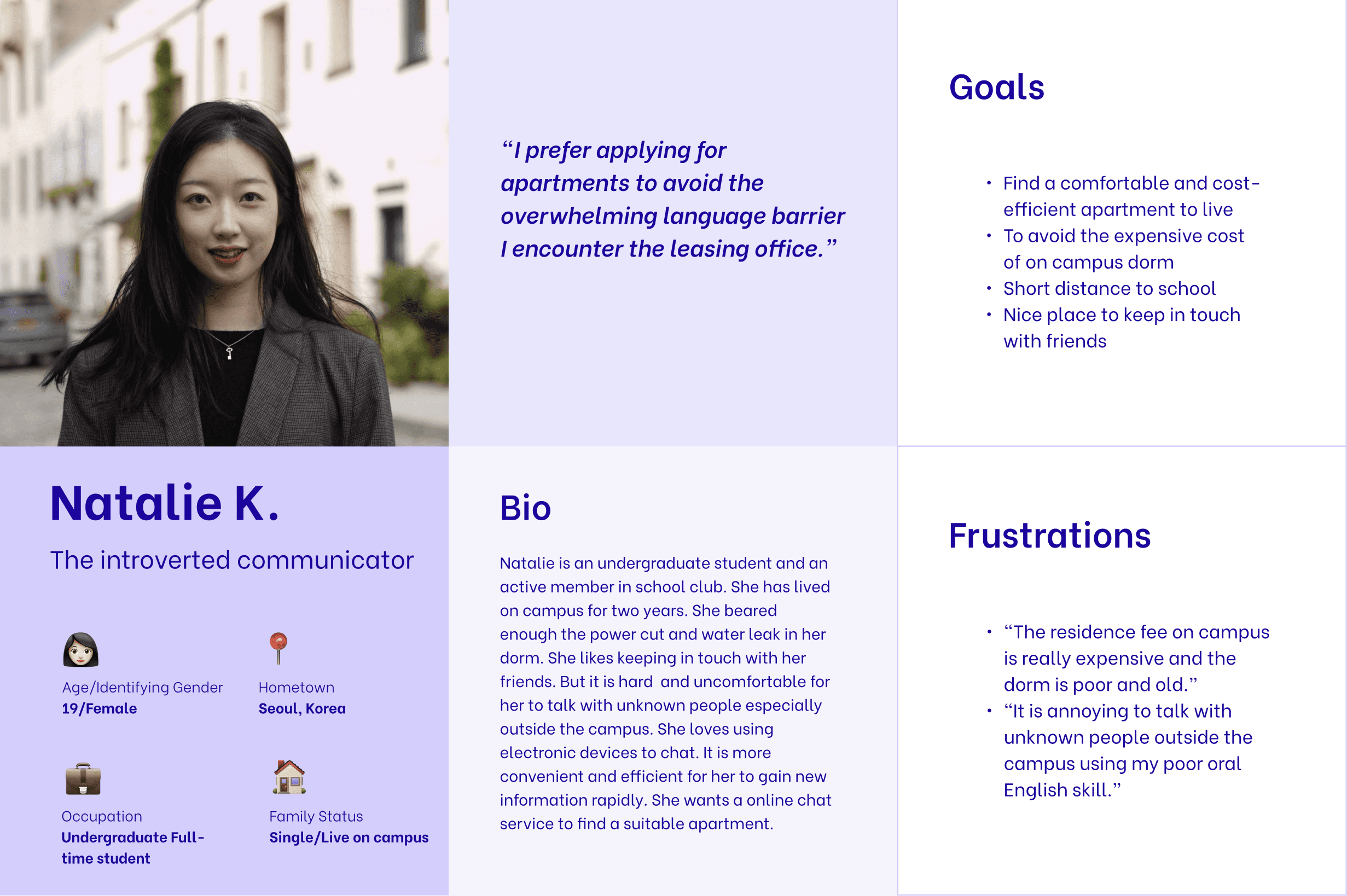
I conducted user interviews and created empathy maps to better understand the people I was designing for and their needs. A primary user group that emerged was international students, many of whom feel uncomfortable communicating with landlords in person and find email-based communication inefficient.
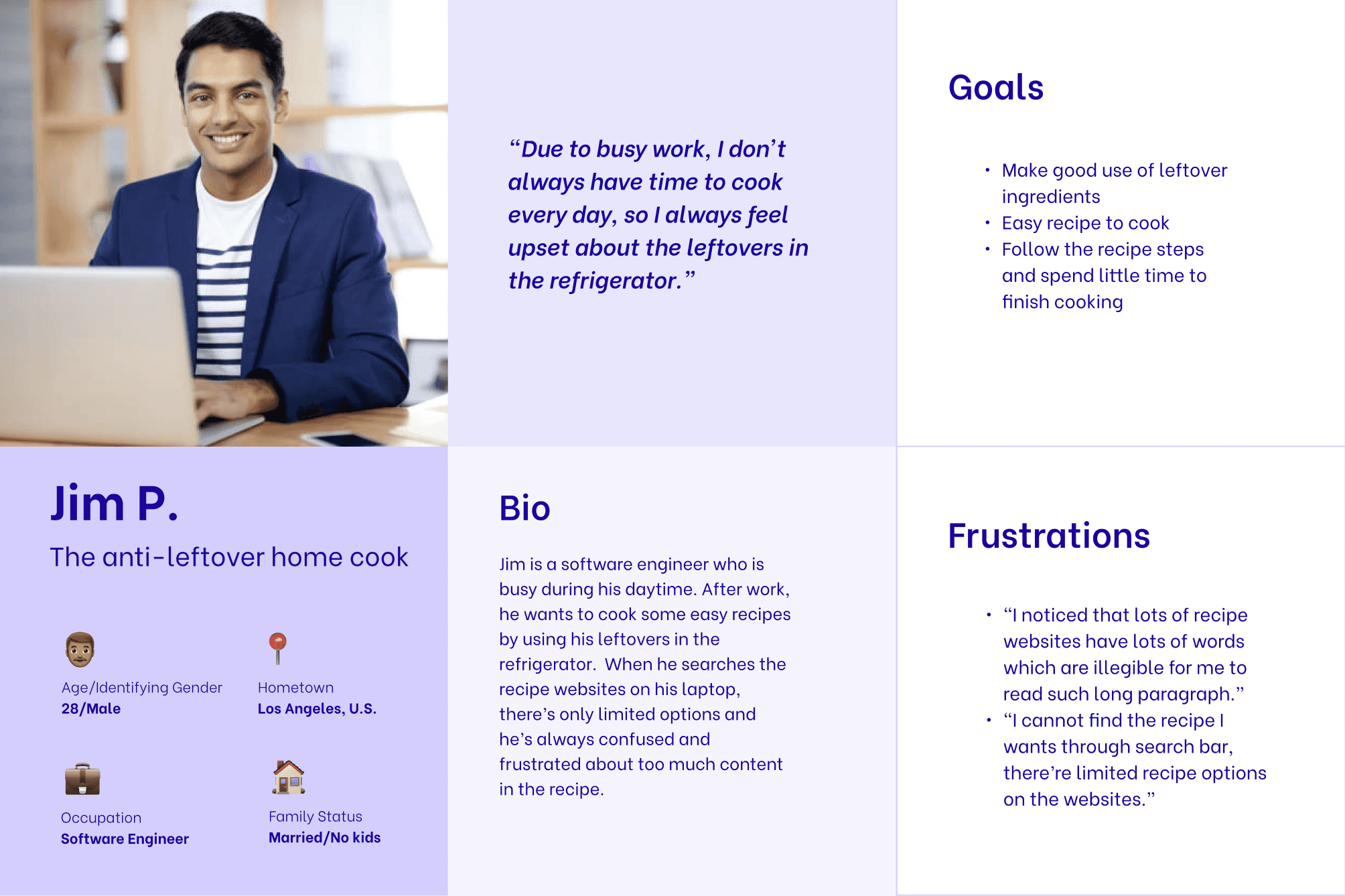
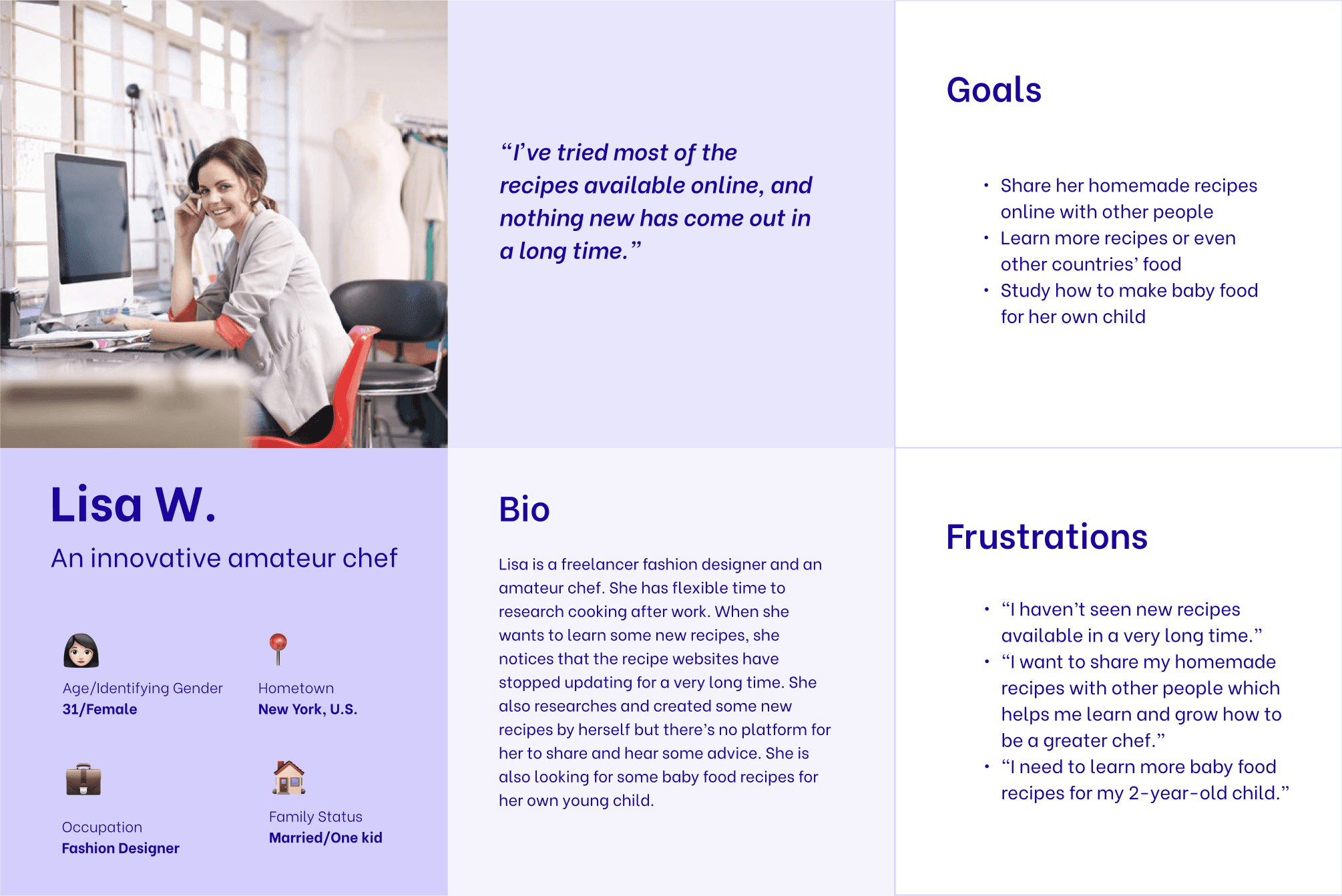
While this group validated my initial assumptions, research also revealed broader challenges shared by both students and young professionals. Participants expressed difficulty finding compatible roommates and noted the lack of convenient ways to buy or sell furniture during frequent moves, which often increased their financial burden.
Key Pain Points


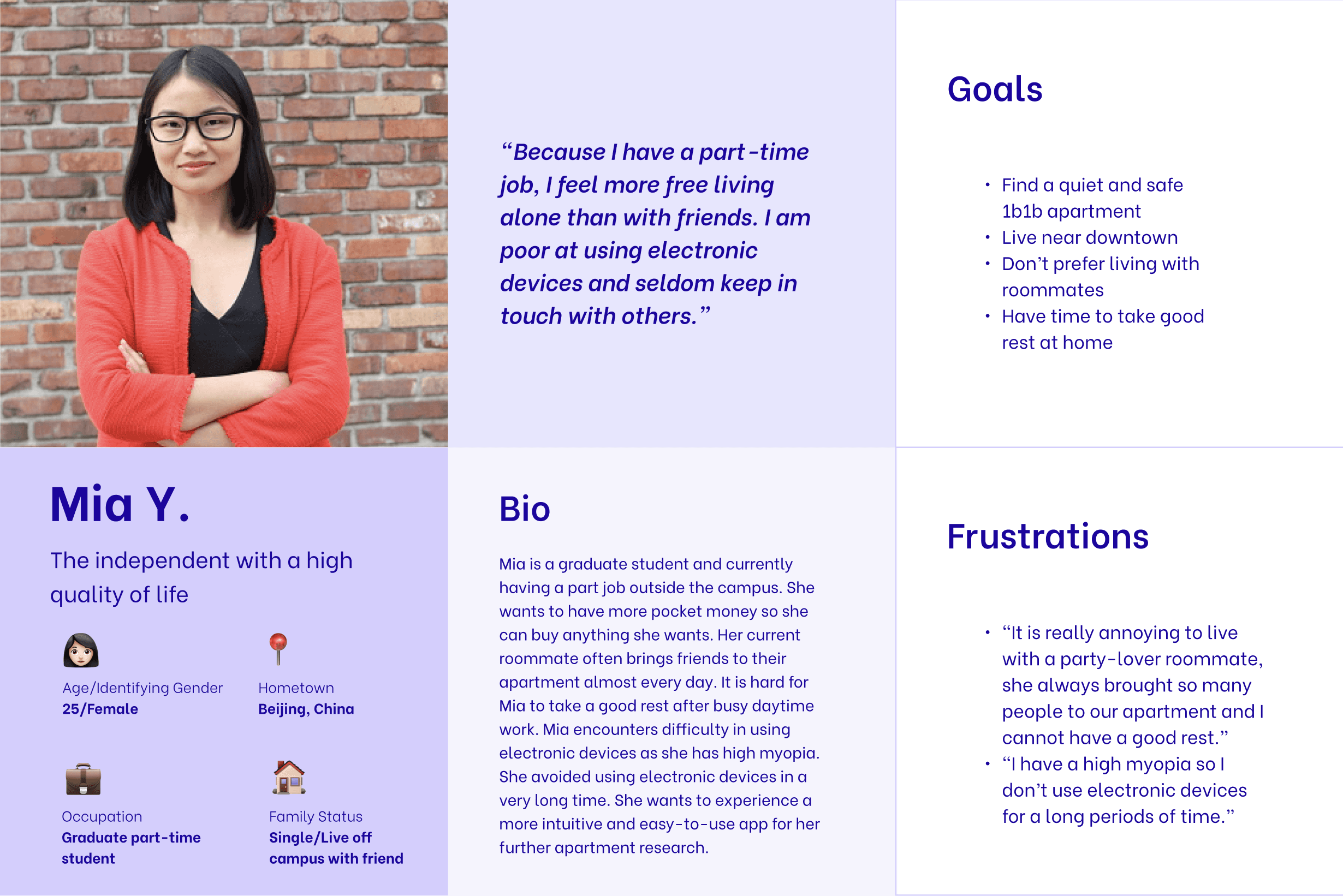
User Personas
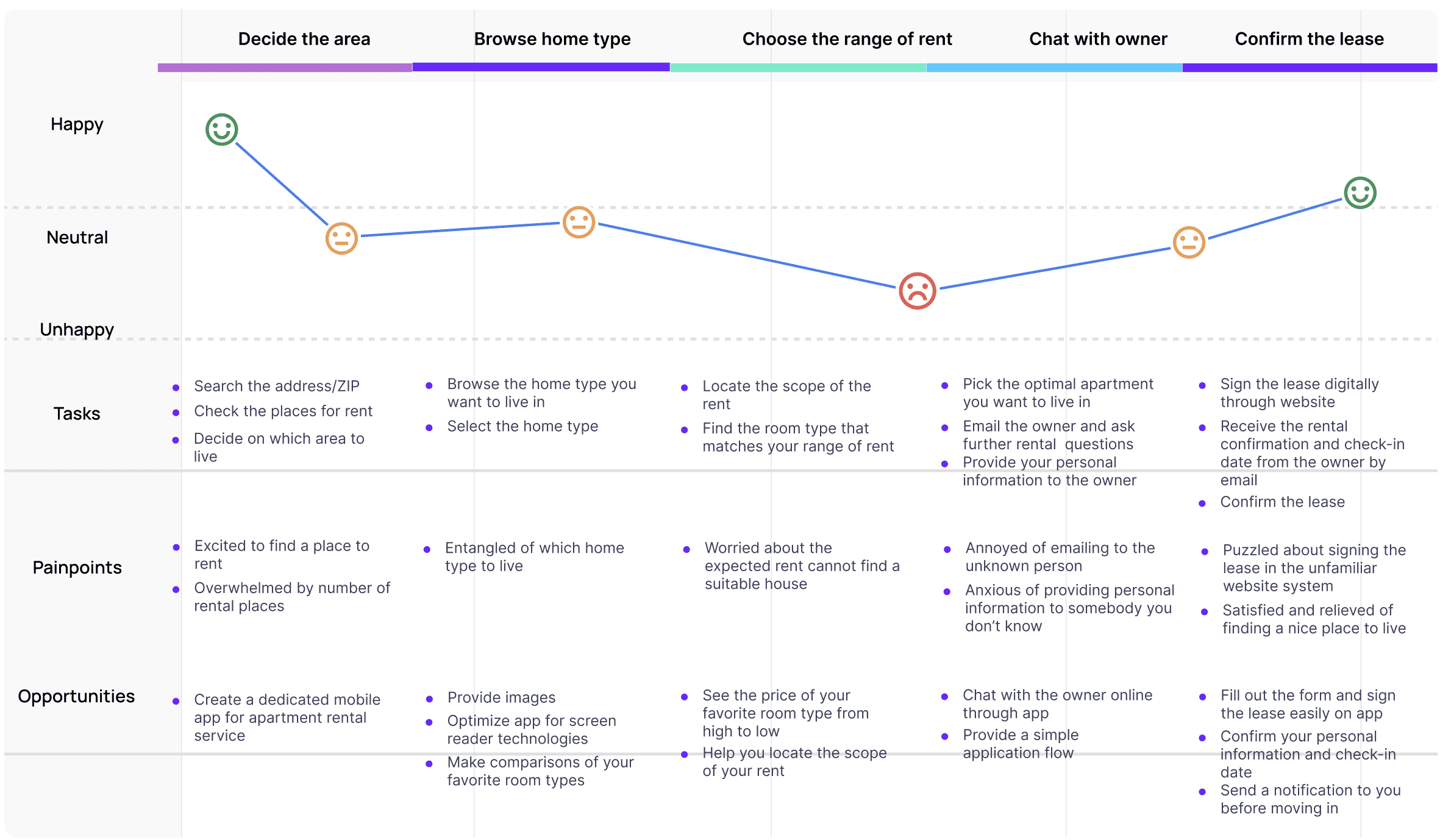
User Journey Map
Based on Natalie’s persona, I created a user journey map to understand her end-to-end rental experience. Her goal is to find a suitable apartment through a process that is both efficient and low-stress. Mapping Natalie’s journey highlighted the need for a dedicated Nestly app that centralizes key steps and reduces friction throughout the rental process.
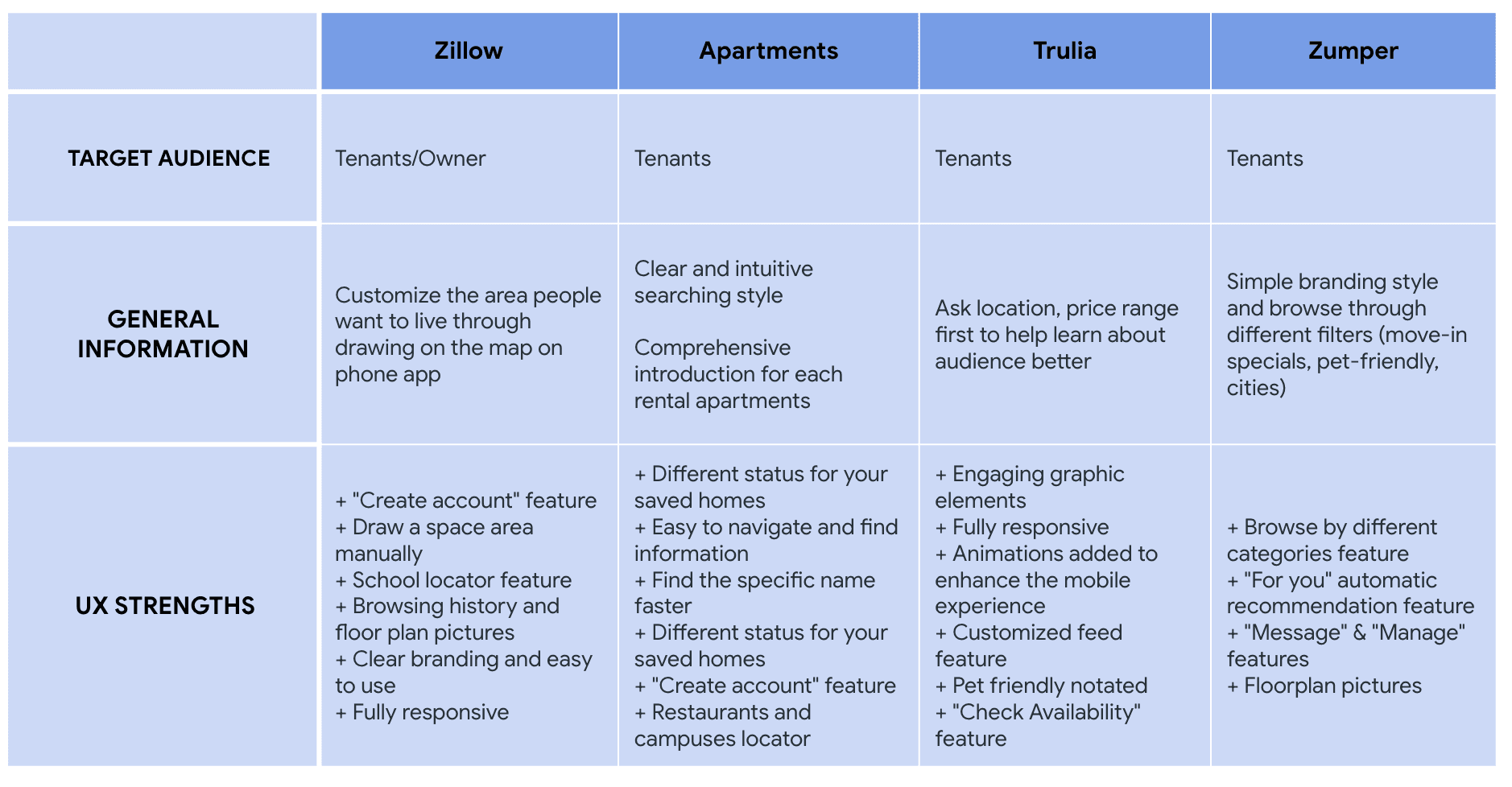
Competitive Audits
I conducted a competitive audit to evaluate the strengths of both direct and indirect competitors.
Paper Wireframes
I explored multiple paper iterations for each screen to validate core ideas before creating digital wireframes. The home screen was designed to prioritize clarity and efficiency in the rental process.
Digital Wireframes
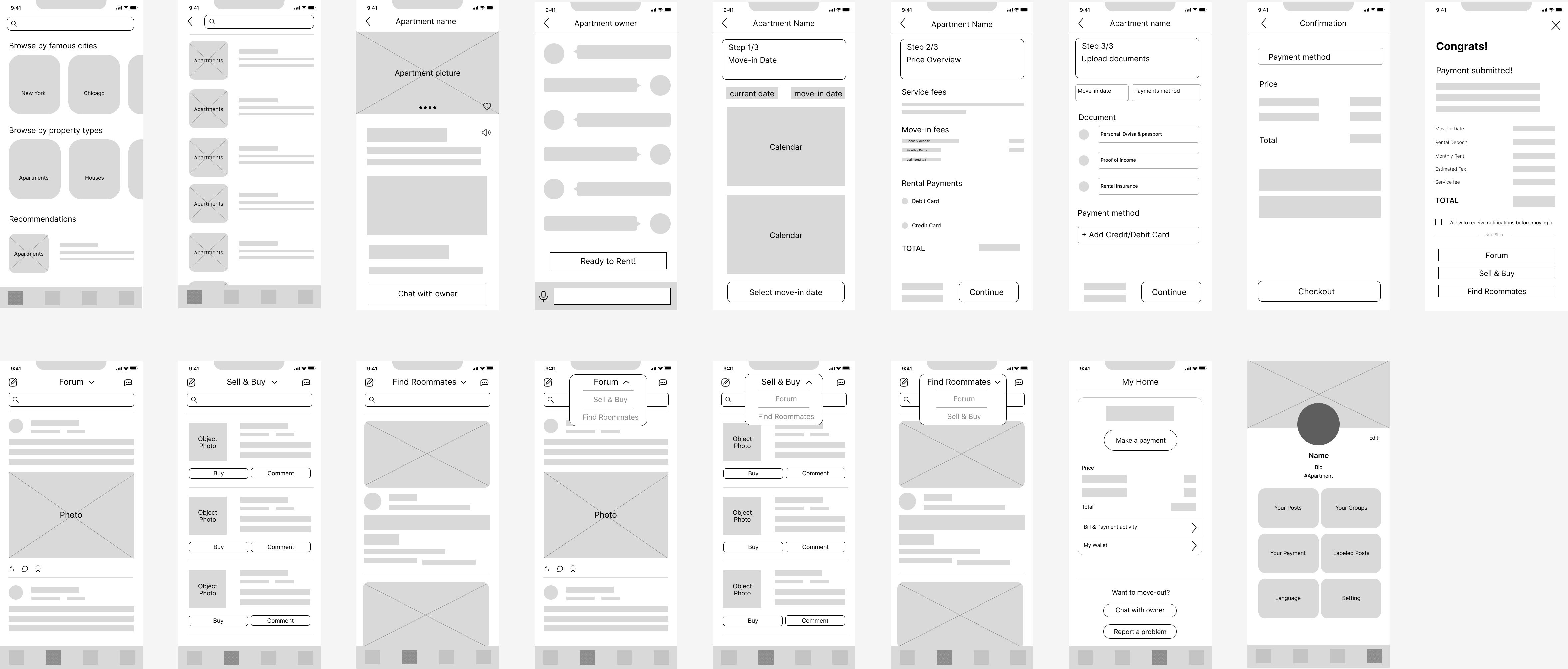
Based on insights from my paper wireframes, I refined existing features and introduced new interfaces.
Usability Studies
I conducted two rounds of usability testing to iteratively refine the design. Insights from the first round informed the transition from wireframes to mockups, while the second round used a high-fidelity prototype to identify areas requiring further refinement.
Round 1 Findings (Low-Fidelity)
Users wanted to quickly narrow down apartment options using filters.
Users expected a confirmation step before completing checkout.
Users wanted the ability to save listings as favorites while browsing.
Round 2 Findings (High-Fidelity)
Users found it helpful to receive practical rental tips before committing.
Users needed clearer cues for accessing lease documents.
Users were unclear about the purpose and value of the forum section.
Affinity Map
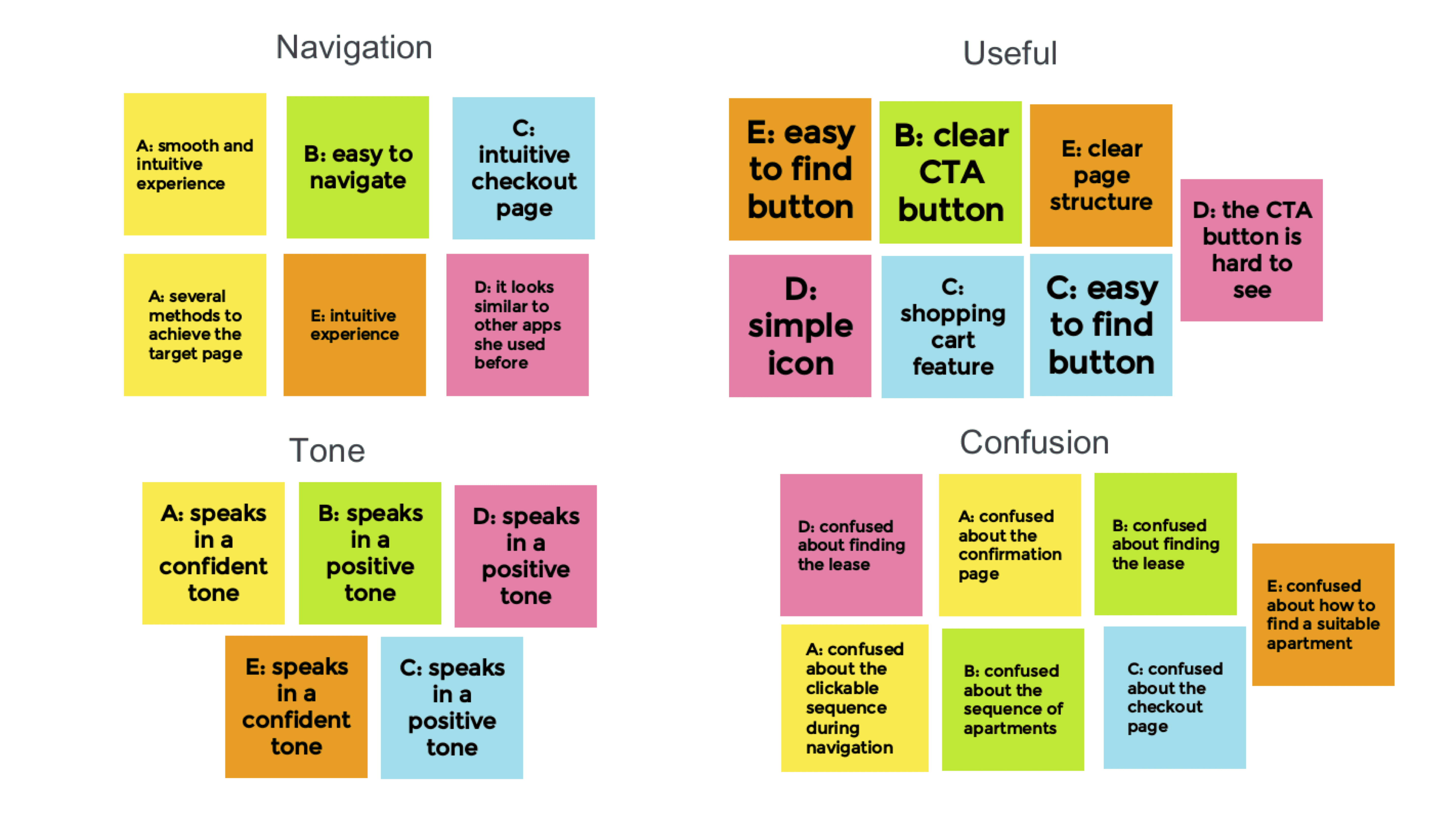
Based on insights from the usability study, I created an affinity map to synthesize findings.
Insights
Users need better clues to navigate apartments easily through filter feature.
“It would be better for me to have a filter feature as it helps me know whether the apartments shown on the list meet my satisfaction.” (participant E)
Use a more professional phrase to describe what is the checkout page.
“I don’t know if I want to check the previous page, the information I input will be deleted if I turned back. It would be better for me to see my information before or on my confirmation page. It would be clearer.” (participant D)
Users need easier and more evident clues to navigate their favorite apartments.
”I don’t think the Recommendations part is necessary for me. How does the app calculate my favorite apartments?” (participant B)
Users need more intuitive and clear guides to see the useful rental tips.
”As this is my first time renting an apartment by myself, I am wondering whether I can know some useful tips before renting.” (participant A)
Users need better clues for what steps are required to get the lease document.
"I am wondering where to get the lease from the owner, oh.. I understand. After you sign and submit it, you will receive the lease from the owner automatically, right?" (participant B)
Users need a more concise navigation way.
"I have no idea what the forum section is going to do for me. I have already saw the find roommates and sell & buy section. Is this part really necessary for me?" (participant C)
Final Design
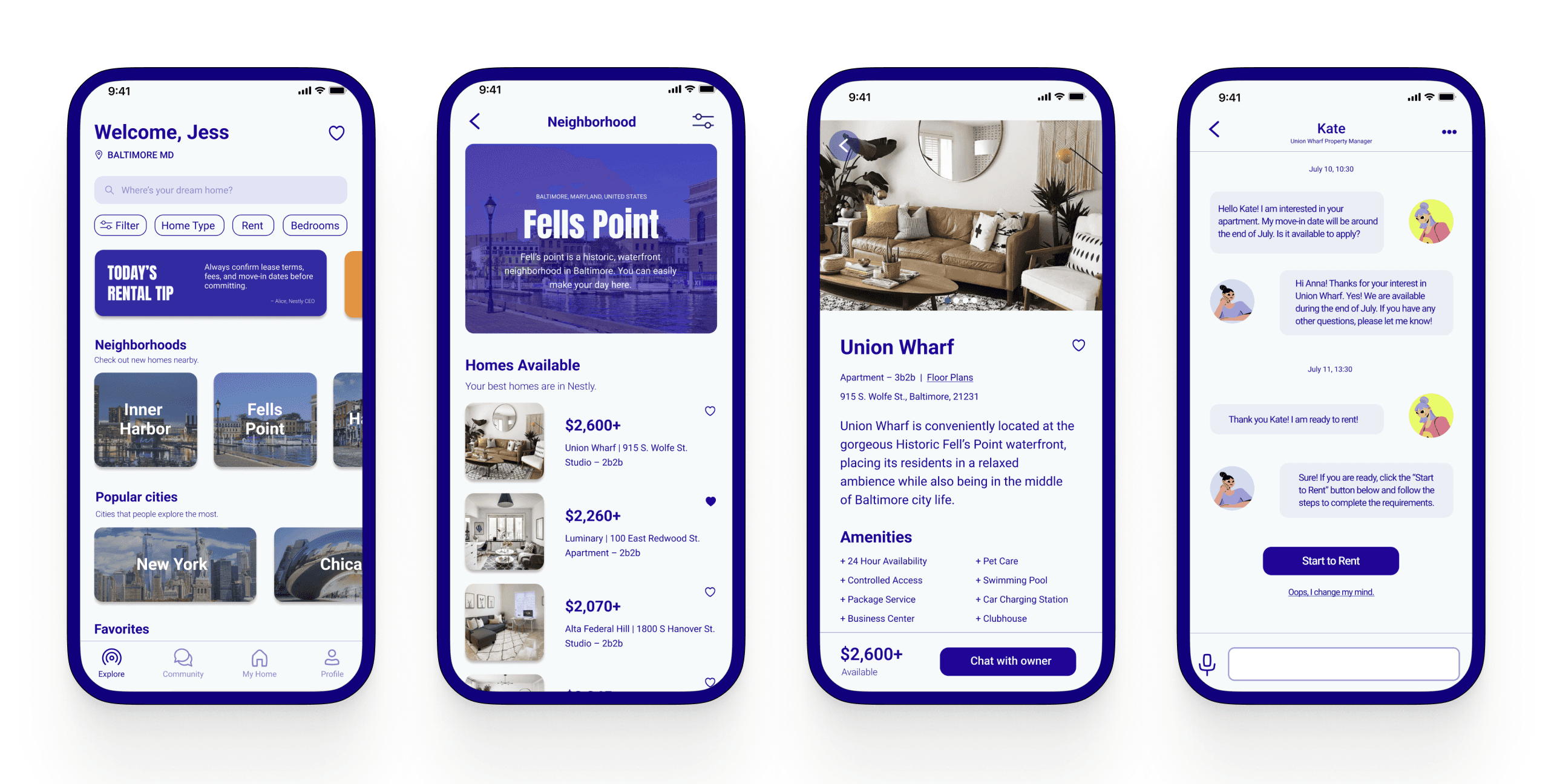
Welcoming and Intuitive Home Experience
Nestly streamlines the rental process, allowing users to quickly identify and confirm their preferred homes.
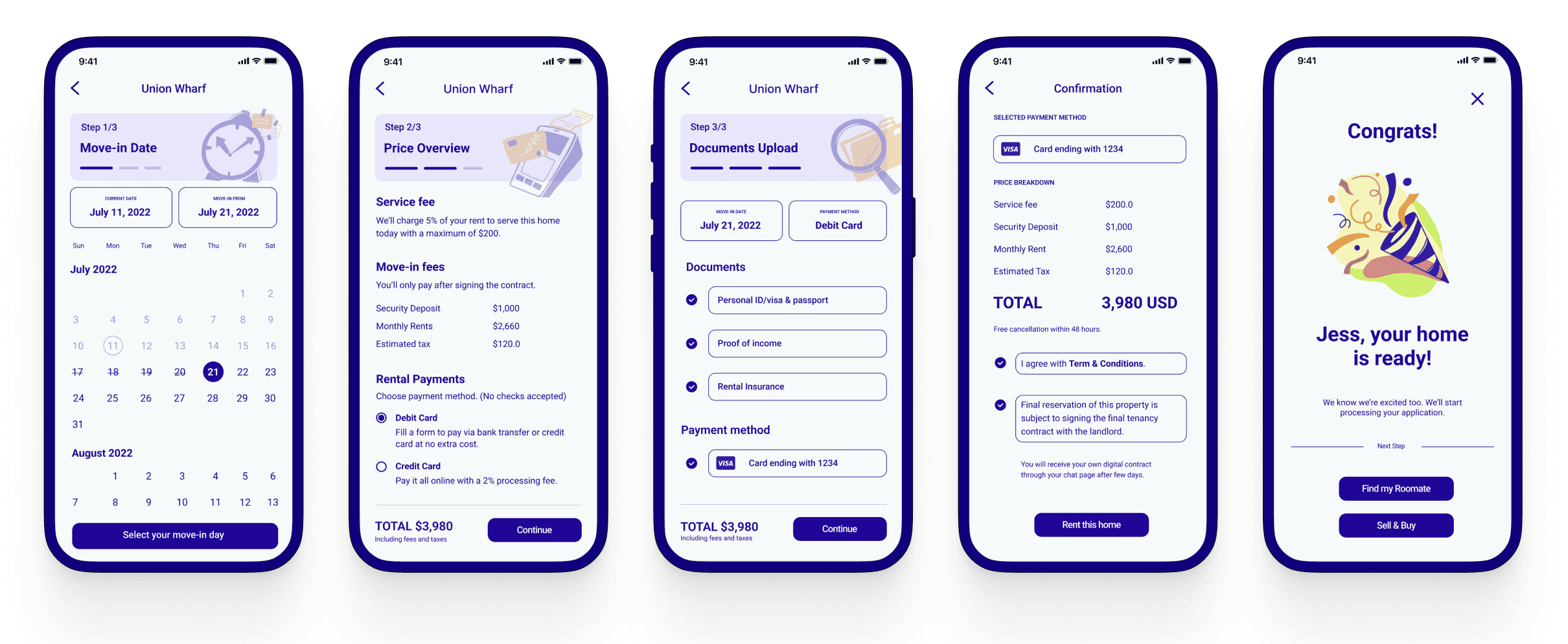
Simple and Accessible Application Flow
Nestly offers a simple, secure application flow with four clear steps, helping users complete rentals efficiently and with confidence.
Beyond a Platform: Building a Rental Community
Nestly supports users beyond apartment search by addressing post-rental needs such as roommate matching, furniture exchange, and rent payment management.
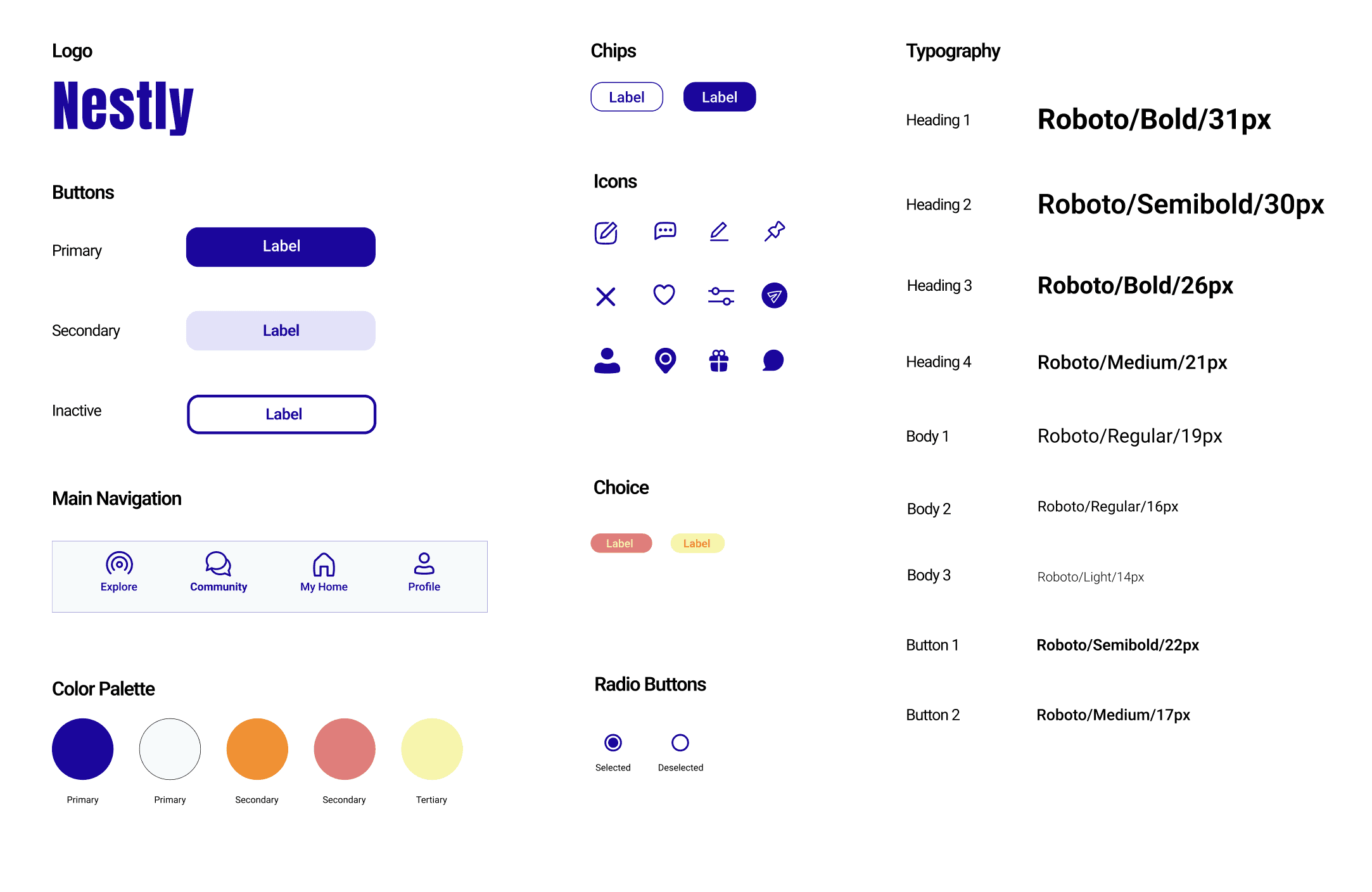
Design System
Takeaways
User feedback showed that Nestly feels thoughtful and genuinely centered on user needs, addressing common challenges throughout the rental process while remaining inclusive of underrepresented users. This project reinforced the importance of simplicity and accessibility in product design. Early iterations included too many features that risked overwhelming users, but refining the experience taught me that clear, focused flows lead to stronger usability and trust.
One peer noted, “This app truly solves common challenges in online renting. It’s very useful, and I would definitely use it if it were launched.”
Next Step
Validate key flows through continued usability testing.
Refine the checkout and rent payment experience.
Expand accessibility features to better support diverse user needs.